
The Ultimate Follow-Along Routine to Save Your Wrists
Why Every Gamer Needs a Hand Exercise Routine
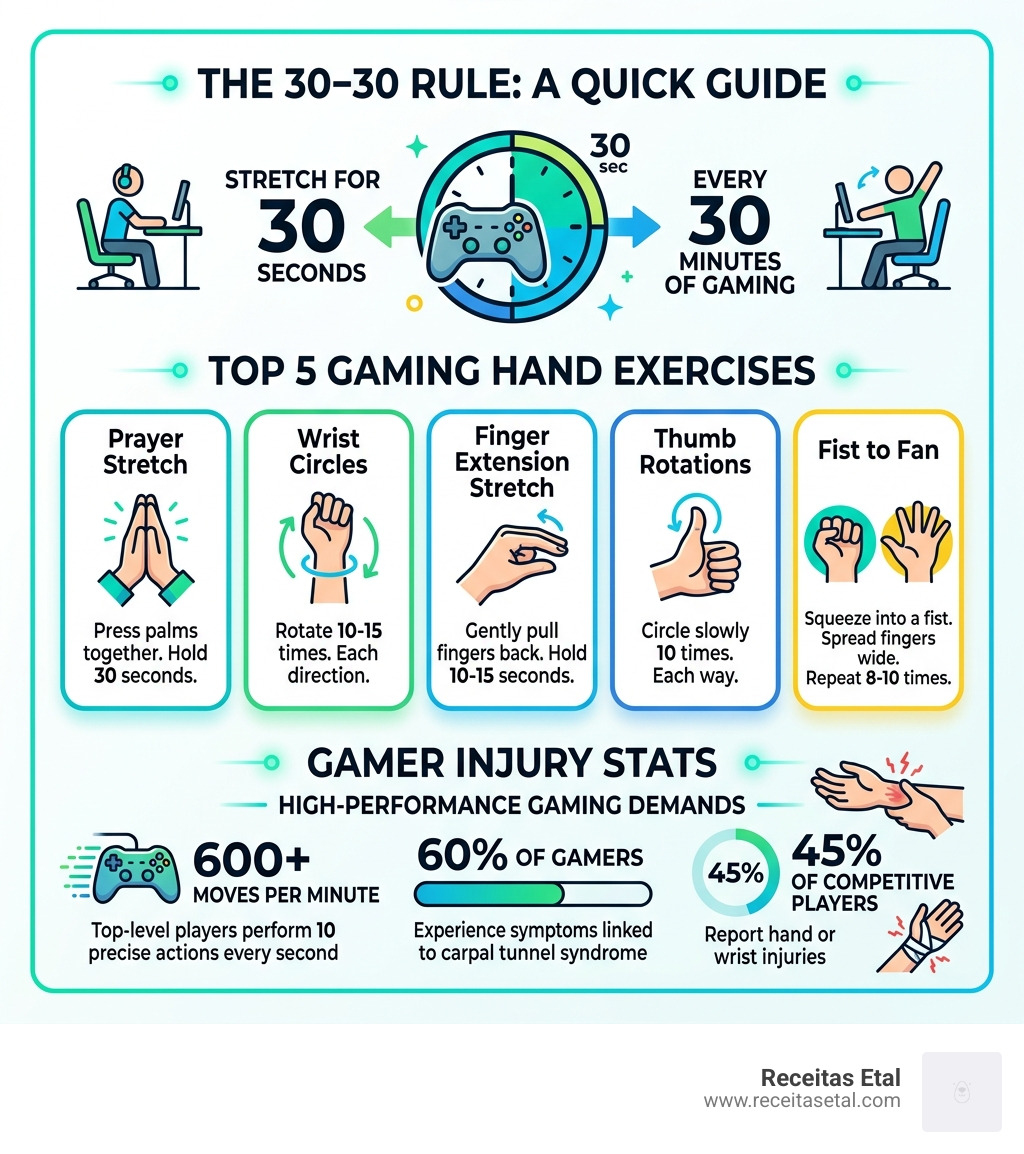
Gaming hand exercises are stretches and movements that keep your fingers, wrists, and forearms healthy during long play sessions. Here are the most important ones to know:
- Prayer stretch – press palms together, hold 30 seconds
- Wrist circles – rotate 10-15 times in each direction
- Finger extension stretch – gently pull fingers back, hold 10-15 seconds
- Thumb rotations – circle slowly 10 times each way
- Fist to fan – squeeze into a fist, then spread fingers wide, repeat 8-10 times
Quick rule: Stretch for 30 seconds every 30 minutes of gaming. This is known as the 30-30 rule.
Your hands take a serious beating when you game. A top-level player can perform 500 to 600 moves per minute — that’s roughly 10 precise actions every second. Even casual mobile gaming keeps your hands locked in the same slightly bent position for hours at a time.
That constant tension adds up. Over 60% of gamers experience symptoms linked to carpal tunnel syndrome. Nearly 45% of competitive players report hand or wrist injuries.
The good news? A simple daily routine can make a real difference — and it only takes a few minutes.
Why Your Hands Hurt: The Science of High-APM Gaming
It is April 2026, and gaming has never been more intense. Whether we are climbing the ranks in a mobile MOBA or competing in a high-stakes FPS tournament, our hands are the primary interface between our brain and the game. But have you ever stopped to think about the physical load you’re putting on those tiny muscles and tendons?
When we talk about high-performance gaming, we often talk about APM (Actions Per Minute). As the research shows, professional esports athletes perform over 400 fine motor movements per minute. In some high-intensity genres, that number spikes to 600 moves per minute. To put that in perspective, you are asking your tendons to glide back and forth 10 times every single second.
This repetitive motion, combined with “fixed flexed positions”—where our hands stay in a claw-like grip for hours—creates a recipe for disaster. Unlike weightlifting, where you see the muscle fatigue, gaming injuries are often silent until they become sharp. The most common issues we see are:
- Gamer’s Thumb (de Quervain’s Tenosynovitis): Inflammation of the tendons that control your thumb, often caused by the repetitive “flicking” on controllers or mobile screens.
- Carpal Tunnel Syndrome: Compression of the median nerve in the wrist, leading to numbness and tingling.
- Tendonitis: General inflammation of the tendons in the wrist and forearm.
- Gamer’s Elbow: Also known as lateral epicondylitis, this affects the outside of the elbow due to repetitive wrist extension.
The global population of esports enthusiasts is approaching 300 million this year. With so many people playing, understanding the strain levels of different platforms is essential.
Gaming Strain Comparison Table
| Platform | Primary Strain Area | Common Injury Risk | Intensity Level |
|---|---|---|---|
| PC (KB+M) | Wrist & Forearm | Carpal Tunnel, RSI | High (High APM) |
| Console | Thumbs & Index Fingers | Gamer’s Thumb, Trigger Finger | Medium-High |
| Mobile | Thumbs & Neck | Gamer’s Thumb, “Tech Neck” | High (Static Grip) |
To stay in the game long-term, we have to treat ourselves like athletes. You wouldn’t run a marathon without warming up your legs, so why jump into a six-hour session without Scientific research on hand exercises for gamers?
The Essential Gaming Hand Exercises Routine
We recommend starting every session with a “Big Three” routine. These exercises target the most common tension points in the wrist and forearm.
1. The Prayer Stretch
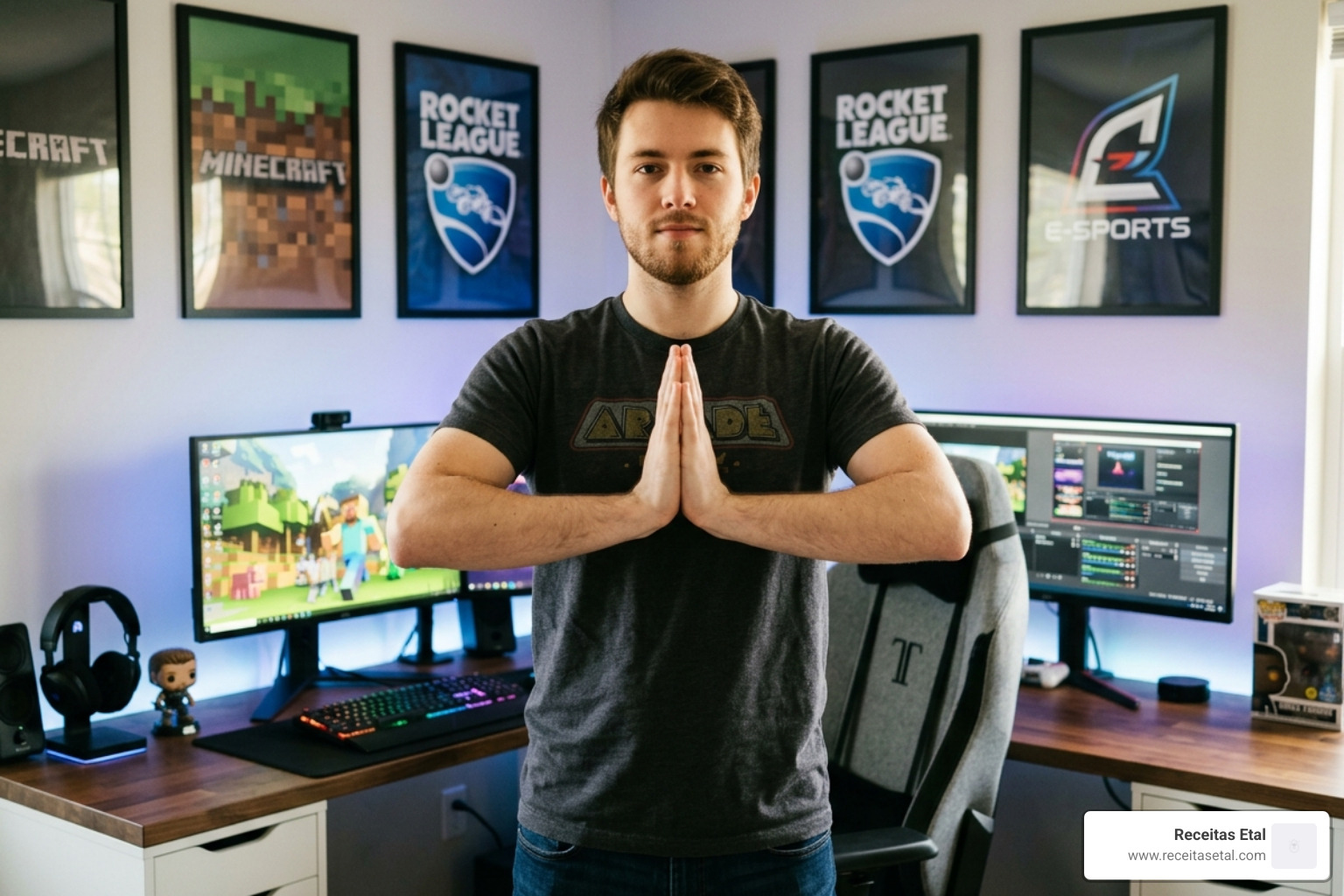
This is the gold standard for opening up the wrist flexors.
- How to do it: Place your palms together in front of your chest, just below your chin (like you’re praying). Slowly lower your hands toward your waist while keeping your palms pressed together.
- The Pro Tip: Hold this for 30 seconds. You should feel a moderate stretch but never sharp pain. To intensify it, gently flare your elbows outward.
2. The Reverse Prayer Stretch
This targets the wrist extensors, which are often overworked in PC gamers who “flick” their mouse.
- How to do it: Place the backs of your hands together with your fingers pointing down toward the floor. Raise your elbows slowly until you feel the stretch along the top of your wrists.
- Duration: Hold for 30 seconds.
3. Wrist Circles
Movement is medicine. This exercise helps lubricate the joint and improve blood flow.
- How to do it: Make loose fists and rotate your wrists in slow, controlled circles.
- Repetitions: Perform 10-15 rotations clockwise, then 10-15 counter-clockwise. To make it more effective, try the “Helicopter” variation: raise your hands above your head while doing the circles to encourage lymphatic drainage.
For a deeper dive into why these movements protect your career, check out these Stretches to Prevent Esports Injuries.
Step-by-Step Gaming Hand Exercises for Mobility
Once you’ve mastered the basics, it’s time to move into mobility. Mobility is different from stretching; it’s about ensuring each individual joint can move through its full range of motion without restriction.
Joint Distraction (Finger Pulls)
This sounds scary, but it’s incredibly soothing. It helps create space in the small joints of the fingers that get compressed during tight gripping.
- How to do it: Use one hand to gently grip the tip of a finger on the opposite hand. Pull outward slightly—not enough to “pop” the knuckle, but just enough to feel a slight tension.
- Duration: Hold for 10 seconds per digit.
The Hand Blossom
This is a fantastic “reset” button for your hands.
- How to do it: Start with your hand in a tight fist. Slowly open your hand, spreading your fingers as wide as they can go (like a flower blooming). At the same time, extend your wrist back so your palm faces away from you.
- Repetitions: Repeat this for 30 seconds per hand.
Finger Lifts
This exercise improves independent finger control, which is vital for complex keybinds.
- How to do it: Place your hand flat on a desk. One by one, try to lift each finger off the table while keeping the others flat.
- Challenge: Try to lift your ring finger without moving your pinky—it’s harder than it looks!
For those looking for a routine that is 7 Best Hand & Wrist Exercises for Gamers BACKED BY SCIENCE, focusing on these mobility drills is the best place to start.
Thumb Rotations
Since the thumb is the MVP of controller and mobile gaming, it deserves its own section.
- The Technique: Tuck your thumb into your palm and wrap your fingers over it. Gently tilt your wrist toward your pinky side. This is the “Finkelstein” move, and it stretches the exact tendons involved in Gamer’s Thumb.
- The Rotation: Open your hand and draw the largest circle possible with your thumb tip, as if you are drawing on the sky. Do 10 circles in each direction.
Advanced Gaming Hand Exercises for Strength
Stretching keeps you flexible, but strengthening keeps you durable. If we want to game for 10 hours without fatigue, we need to build tissue endurance.
Lumbrical Stretch (The “Duck” Hand)
The lumbrical muscles are the tiny muscles in your palm that help you maintain a grip.
- How to do it: Keep your fingers straight and bend only at the knuckles (where the fingers meet the palm), creating a 90-degree “L” shape with your hand. Use your other hand to gently push the fingers further into the bend.
- Duration: Hold for 10 seconds, repeat 3 times.
Rubber Band Extensions
Most gaming movements involve closing the hand. We need to work the muscles that open the hand to maintain balance.
- How to do it: Place a standard rubber band around your fingers and thumb. Spread your fingers wide against the resistance of the band.
- Repetitions: 12-15 reps per hand. This is one of the 5 Best Hand Exercises for Gaming and Hand Pain Relief because it counters the “claw” position.
Grip Squeezes
Using a stress ball or a dedicated grip trainer can help build the endurance needed for long sessions.
- How to do it: Squeeze the ball and hold for 3 seconds, then release.
- Repetitions: 2 sets of 10 reps.
Tendon Glides
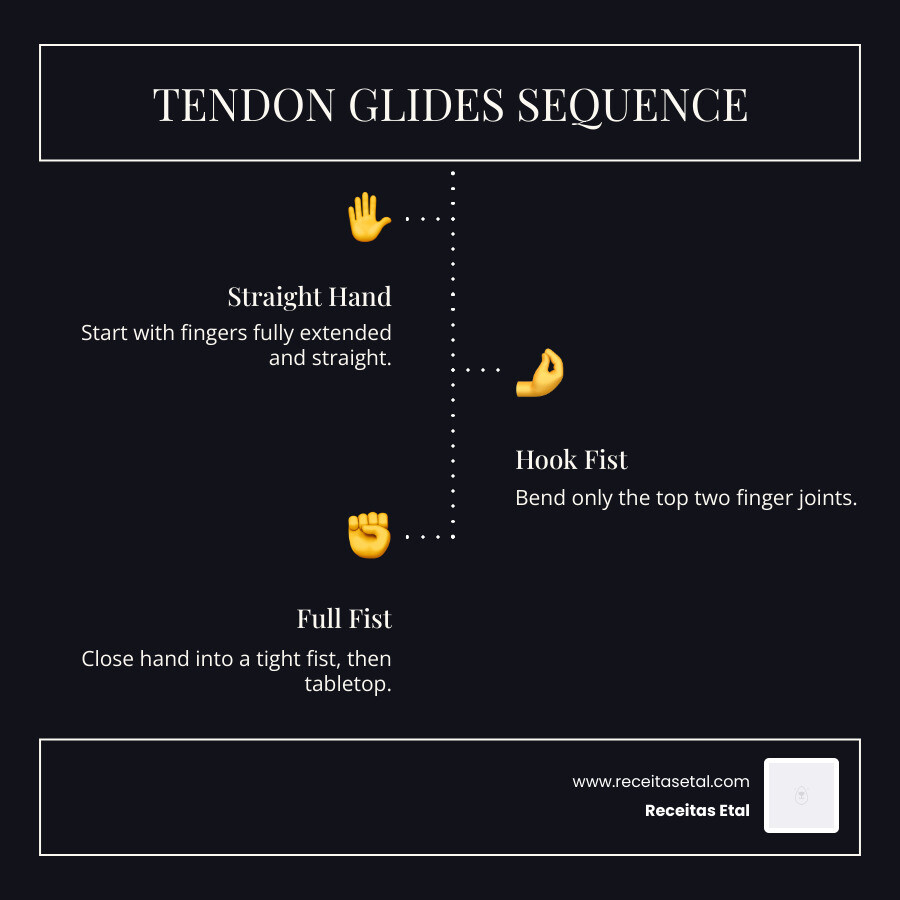
This is a sequence of hand positions that ensures your tendons are sliding smoothly through their sheaths.
- Straight hand
- Hook fist (bend only the top two joints)
- Full fist
- Tabletop (the “Duck” hand mentioned above)
- Straight hand
When and How Often to Perform Your Routine
Consistency beats intensity every single time. You will see much better results from doing 2 minutes of gaming hand exercises every hour than doing 30 minutes once a week.
The 30-30 Rule
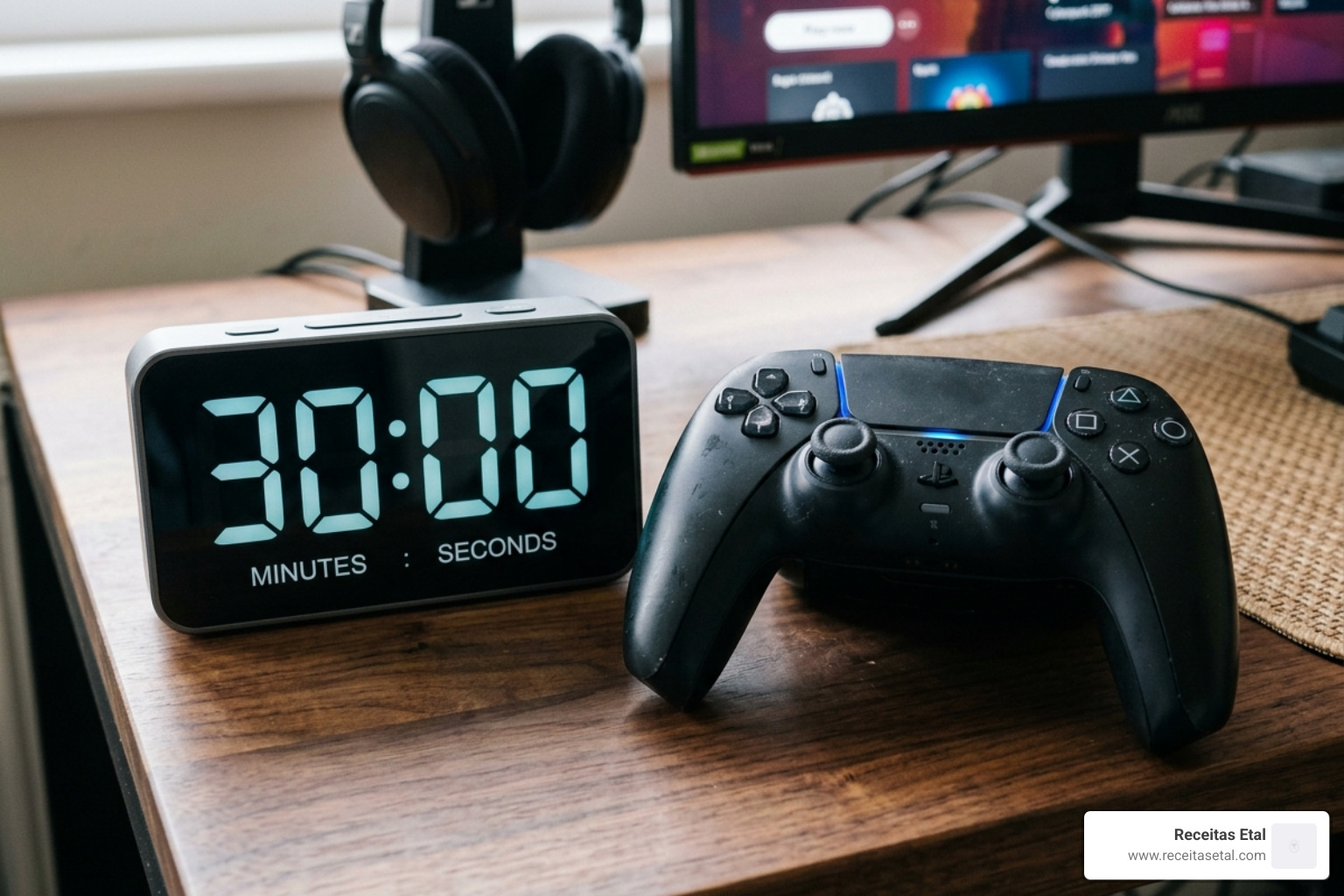
We swear by this: Every 30 minutes of play, take a 30-second break to stretch.
- Why? It prevents the “blood pooling” and stiffness that happens when muscles stay static. It also gives your eyes a break from the screen.
Warm-up vs. Recovery
- The Warm-up: Before you start your first match, do the Hand Shakes. Vigorously shake your hands for 20 seconds to get blood flowing. Follow with wrist circles and the hand blossom.
- The Recovery: After you finish for the night, focus on the longer, 30-second hold stretches like the Prayer Stretch. This is when you want to signal to your nervous system that it’s time to relax.
Utilizing “Hidden” Time
You don’t need to block out extra time for these. We like to integrate them into the gaming experience:
- Loading Screens: Perfect for wrist circles.
- Matchmaking Queues: Great for rubber band extensions.
- Cutscenes: The ideal time for the prayer stretch.
- Respawn Timers: If you just got eliminated in a battle royale, use those 20 seconds to do a quick “Fist to Fan” set.
Beyond Stretching: Ergonomics and Injury Prevention
Exercises are only half the battle. If your setup is working against you, even the best stretches won’t save your wrists. At Receitas Etal, we specialize in optimizing mobile gaming setups, but these ergonomic tips apply to everyone.
- Neutral Wrist Position: Your wrist should be a straight line from your forearm. If your wrist is bent up (extension) or down (flexion) while you play, you are putting constant pressure on the carpal tunnel.
- The 90-Degree Rule: Your elbows should be bent at roughly 90 degrees, and your forearms should be supported. If your arms are hanging off the desk, your wrist muscles have to work double-time just to hold your hands up.
- Screen Height: Whether it’s a monitor or a mobile device, keep it at eye level. Craning your neck forward (Tech Neck) actually pulls on the nerves that lead down into your hands, causing “referred pain.”
- Mobile Gaming Grips: If you are a mobile gamer, holding a thin, flat phone for hours is ergonomically terrible. Using a dedicated grip or controller attachment can put your hands in a much more natural, “handshake” position.
- Posture Support: Sit back in your chair. Let the chair support your spine so your core doesn’t fatigue, which eventually leads to slouching and poor wrist angles.
Frequently Asked Questions about Gaming Hand Health
Can hand exercises prevent carpal tunnel syndrome?
Yes, absolutely. Carpal tunnel is often caused by inflammation and pressure. By performing regular stretches and mobility drills, you improve blood flow and reduce the “tightness” that compresses the median nerve. However, exercises must be combined with good ergonomics to be fully effective.
What should I do if I already have wrist pain?
If you are already feeling pain, the first step is Rest. Stop gaming immediately.
- Ice vs. Heat: Apply ice to the “meatier” parts of your hand or the tendons if they feel inflamed (hot to the touch). Use heat on your forearms to loosen up tight muscles.
- Consult a Professional: If the pain is sharp, keeps you awake at night, or causes persistent numbness, see a doctor. You might have a repetitive stress injury that requires physical therapy.
How long does it take to see results from these exercises?
Most gamers notice a reduction in stiffness and “cold hands” within the first 1 to 2 weeks of consistent stretching. For long-term injury prevention and increased endurance, it takes about a month for the habit to settle in and for the tissues to actually become more resilient.
Conclusion
Gaming is a marathon, not a sprint. Whether you are a pro aiming for 600 APM or a casual player enjoying a mobile RPG, your hands are your most valuable gear. By incorporating these gaming hand exercises into your daily routine, you aren’t just preventing pain—you’re boosting your performance, increasing your reaction speed, and ensuring you can keep playing for years to come.
Remember the 30-30 rule, keep your wrists neutral, and don’t ignore the warning signs of a “badge of honor” ache.
If you want to take your comfort to the next level, especially on the go, we can help. Improve your mobile gaming setup with our specialized posture advice and ergonomic accessories designed specifically for the modern gamer. Stay limber, stay healthy, and most importantly—keep gaming!
